
Consolidated stories
One story. Every source. One card.
When several outlets carry the same announcement, GodModeNews clusters them into a single card and keeps a coverage count with every source attached. No wall of identical headlines.
Live newsroom 30 official desks, one feed
v1.2.82 New AI & Emulation tab, AI game summaries, driver version checks See what's new
The gaming news desk that reads only what you play
GodModeNews watches 30 official news desks around the clock and keeps only what touches the games on your shelf: patch notes, breaking announcements, release dates, GPU drivers and mod news, in one clean feed. Free, no account, and it installs like an app.
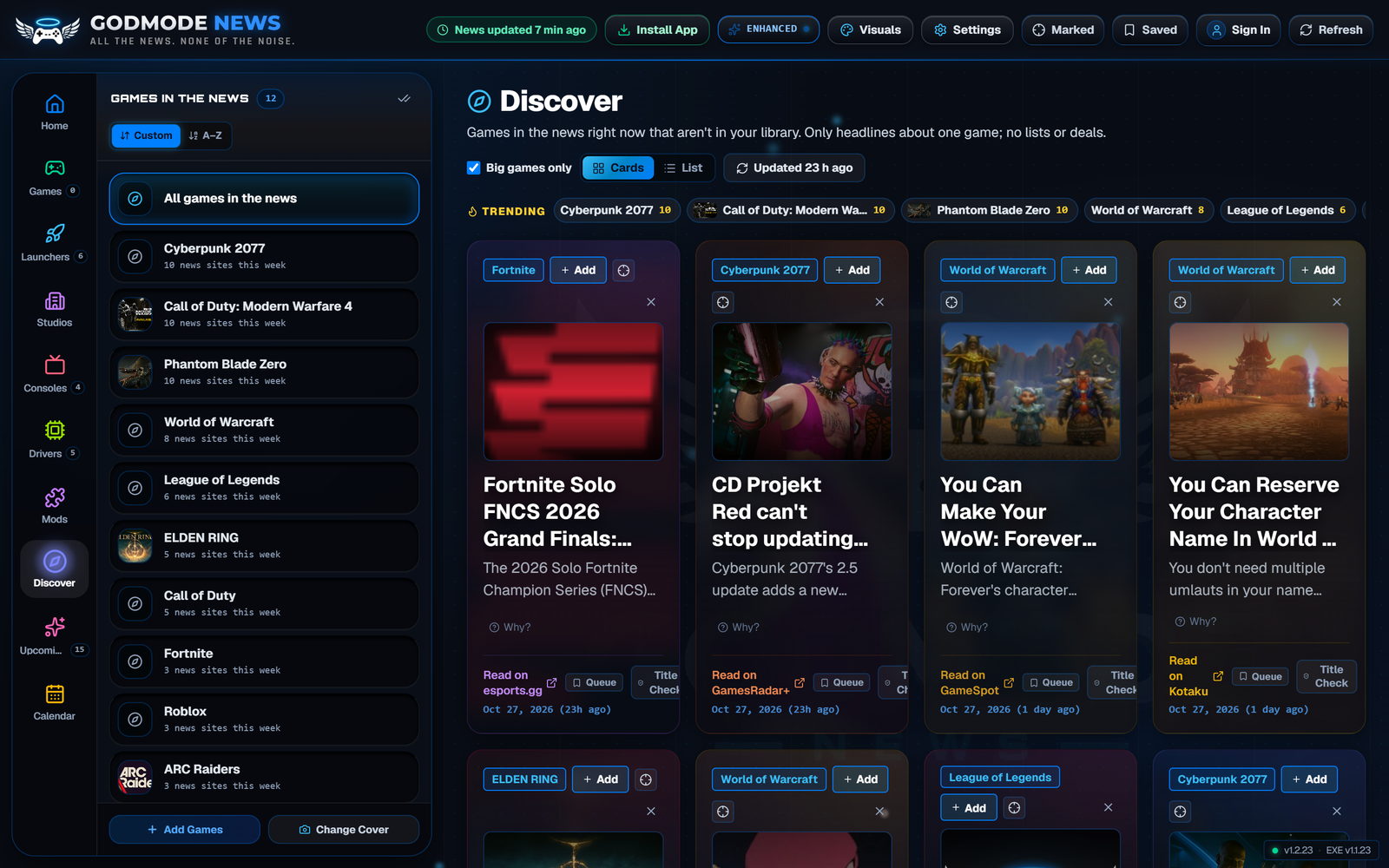
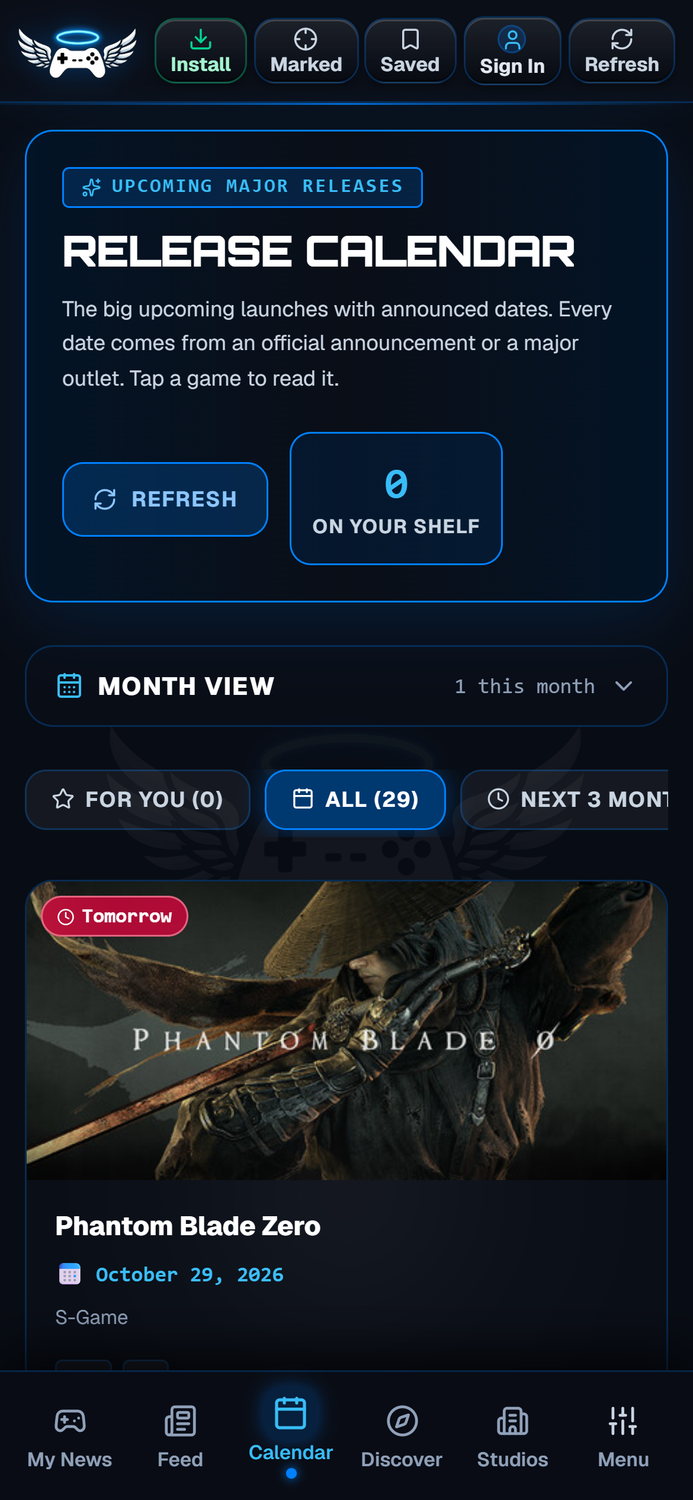
Read from the desks that matter
Plus official studio blogs, GPU release bulletins, mod hubs and any custom source you add. How the desks work
01 The problem
Gaming news is spread across storefronts, studio blogs, driver pages and outlets that cover everything. Keeping up means refreshing, scrolling, and filtering clickbait yourself. GodModeNews does that part.
See how it worksWithout a feed
Two hours of scrolling for four things that mattered.
With GodModeNews
Valorant 13.09 patch notes add Hush, buff Warden
Riot Games · via PC GamerCyberpunk 2077's 2.5 update adds a new Edgerunners quest
4 sites covering this storyGame Ready driver adds day-one support for the week's launches
NVIDIA · official bulletinOne feed. Your shelf. Done in a minute.
02 How it works
No setup marathon. Pick your games once, and the feed keeps itself current.
Step 01
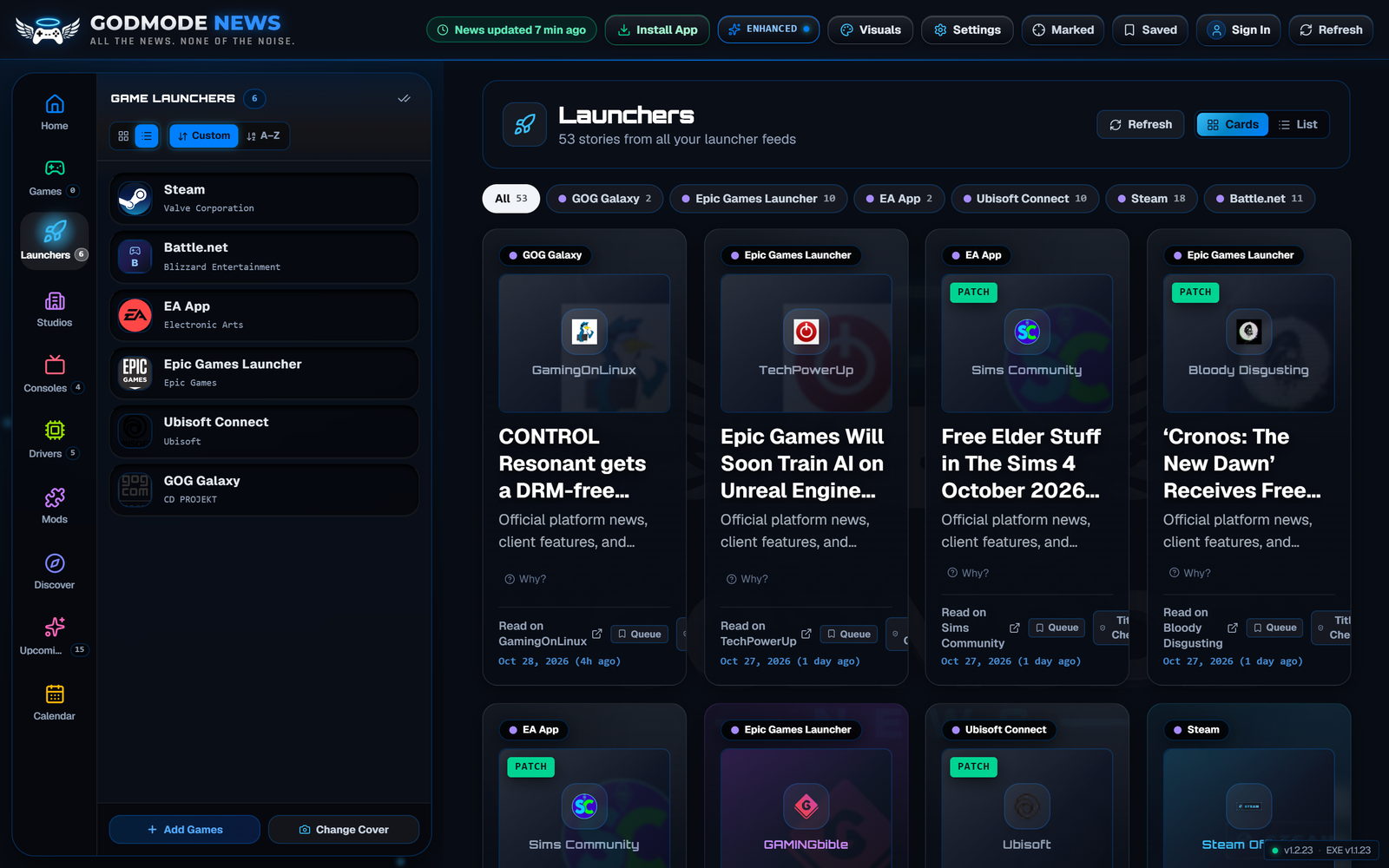
Search the catalog, start from a genre pack, import a public Steam profile, or let the Windows companion import what's already installed across Steam, Battle.net, Epic, EA, Ubisoft, GOG and Xbox. Your shelf, every platform.
Step 02
Official newsrooms, storefront feeds, studio blogs and GPU bulletins are pulled on a schedule. The noise filter drops clickbait, deals and rumor spam. Stories that many outlets carry become one card, with every source credited.
Step 03
Patches come first. Every card names its source and opens the article on the publisher's site. Mark games, save articles for later, or hit Catch me up for a digest of everything since your last visit.
03 The product
No algorithm guessing what keeps you scrolling. Just the parts of a news desk that respect your time.
Consolidated stories
When several outlets carry the same announcement, GodModeNews clusters them into a single card and keeps a coverage count with every source attached. No wall of identical headlines.
Noise filter
Drop rumors, deals, guides and clickbait with one switch. Set per-game news rules, mute spoiler words, and choose Trusted only, Balanced or Every site.
Official GPU desks
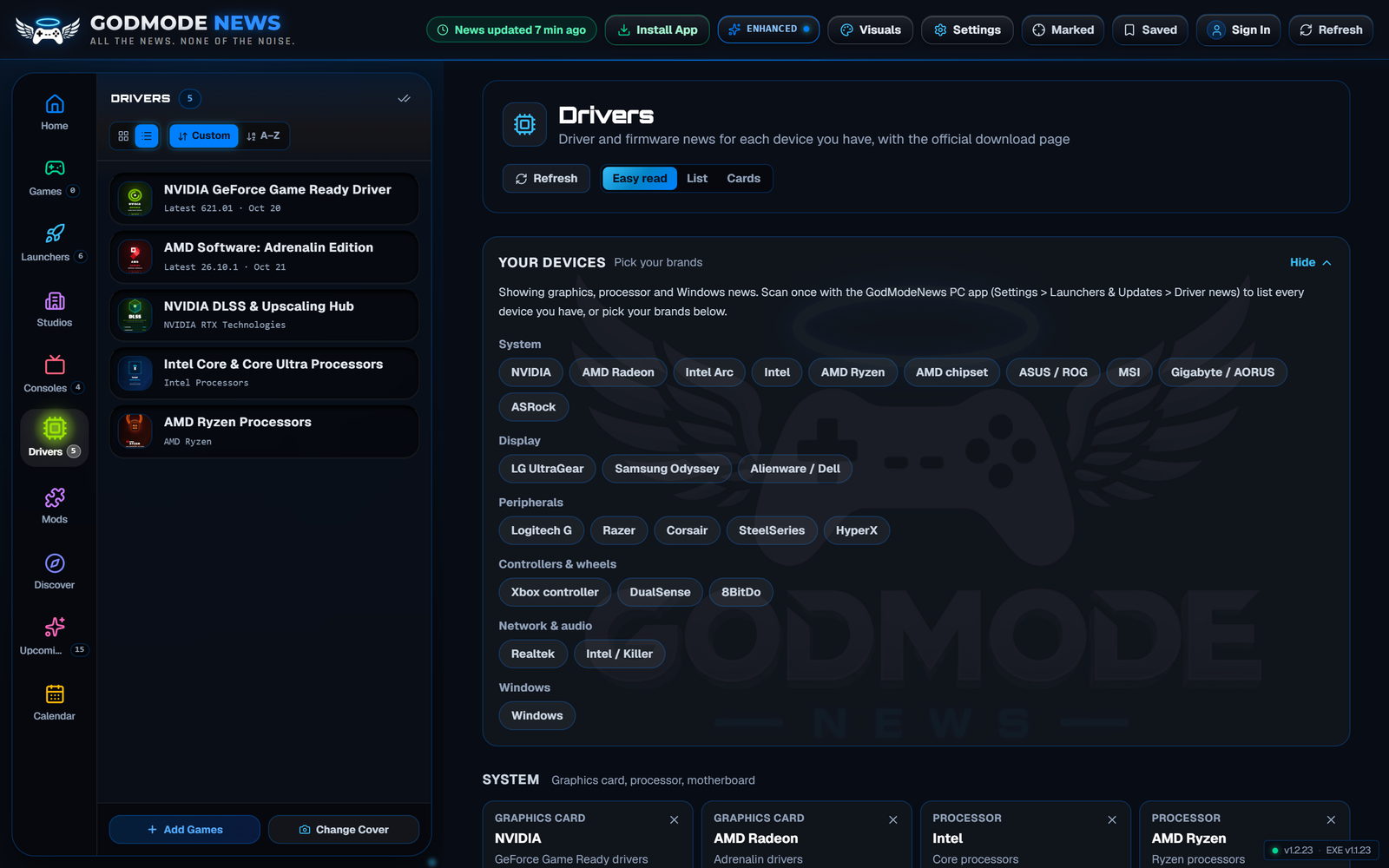
Official NVIDIA and AMD driver bulletins, kept in their own lane and flagged to the GPU in your rig. With the companion, it also shows your installed driver, BIOS and SSD firmware versions next to the latest ones.
Catch me up
Patches first, then the news you follow. Works without AI, or add your own free key for a written summary.
Release calendar
Official dates, countdowns and reminders. Mark a game and export its release day to your calendar.
Discover & upcoming
Games trending in the news, ranked by coverage, and the upcoming releases worth marking, even if you don't own them yet.
Also in the app
04 Make it yours
Nine color themes, three layouts, 18 font stacks and five text sizes. Make the app fit your setup.
Valorant 13.09 patch notes add Hush, buff Warden
Cyberpunk 2077's 2.5 update adds a new Edgerunners quest
Game Ready driver for this week's launches
Live preview: click a theme to try it
Settings live in your browser and follow you to the companion app. No theme store, no upsells.
Try the real thing05 Windows companion
A small, free tray app that finds the games you already own, keeps your shelf in sync, and shows what changed since you last played. It's optional. The web app works fully without it.
Signed installer (GodModeNews). Scan it with Windows Defender if you like. It installs for your Windows user only and can be removed from Installed apps.
Tray flyout · what's new since your last session
06 Screens
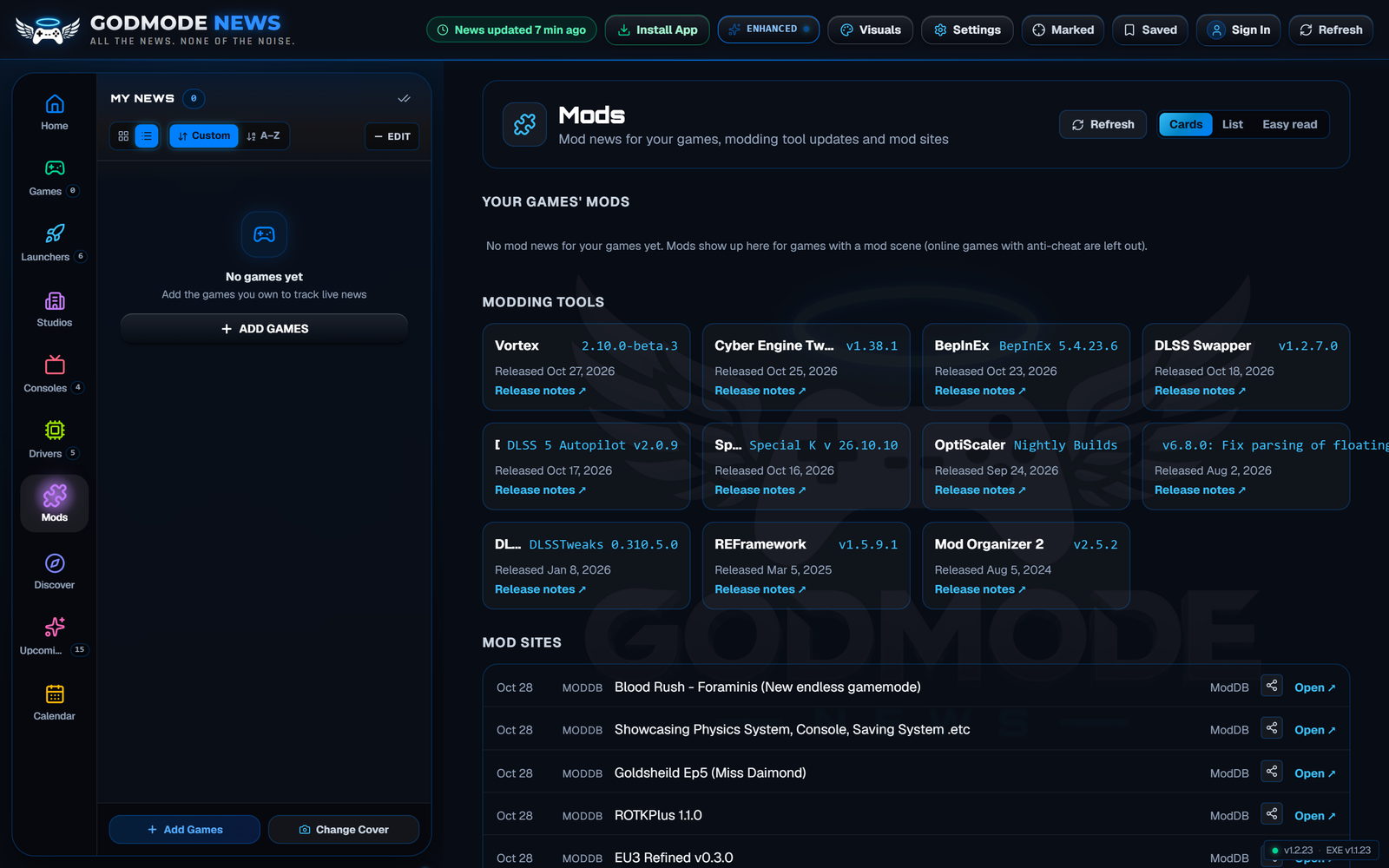
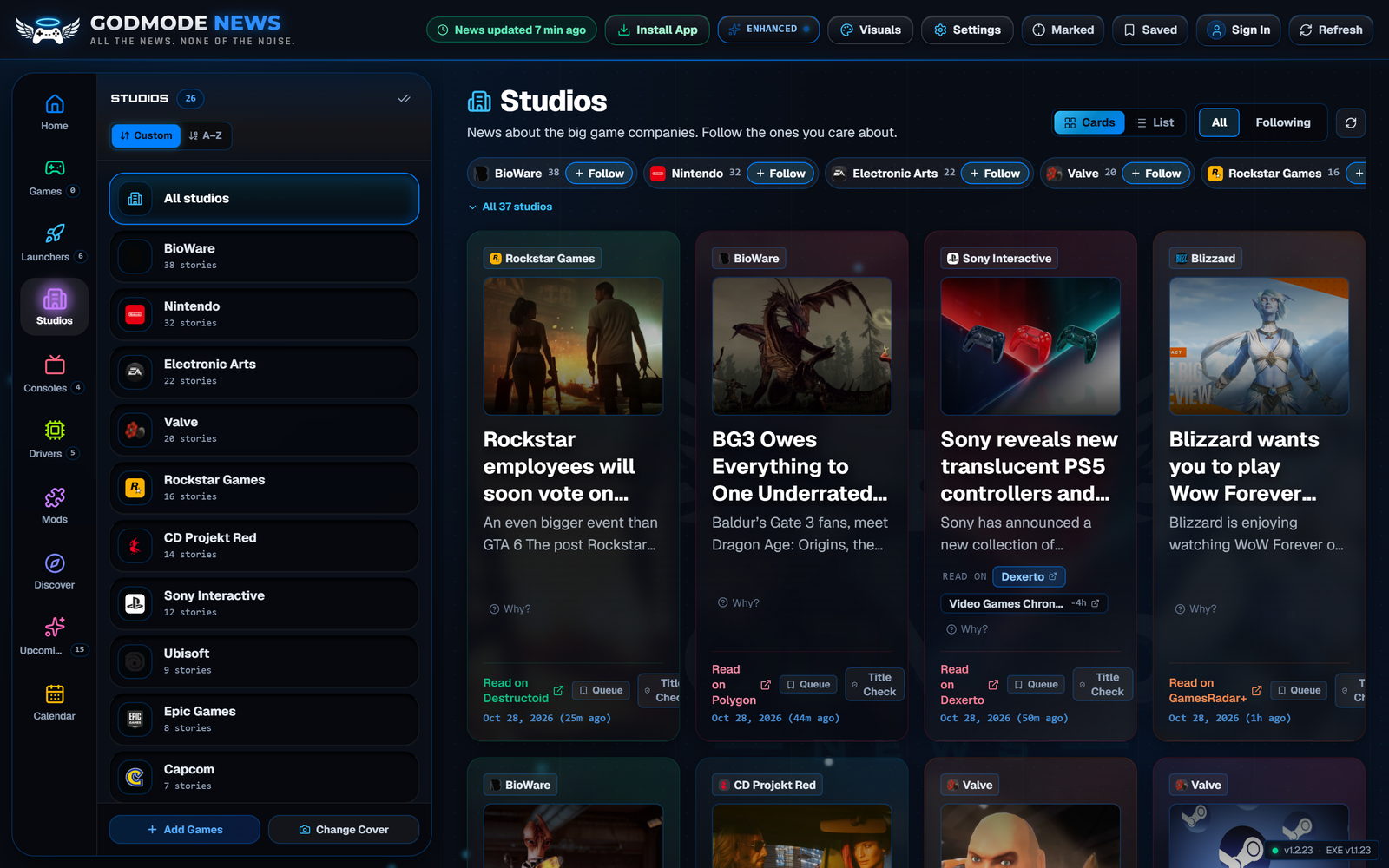
Every screenshot below is the live app, captured this week. No concept art, no fake dashboards.
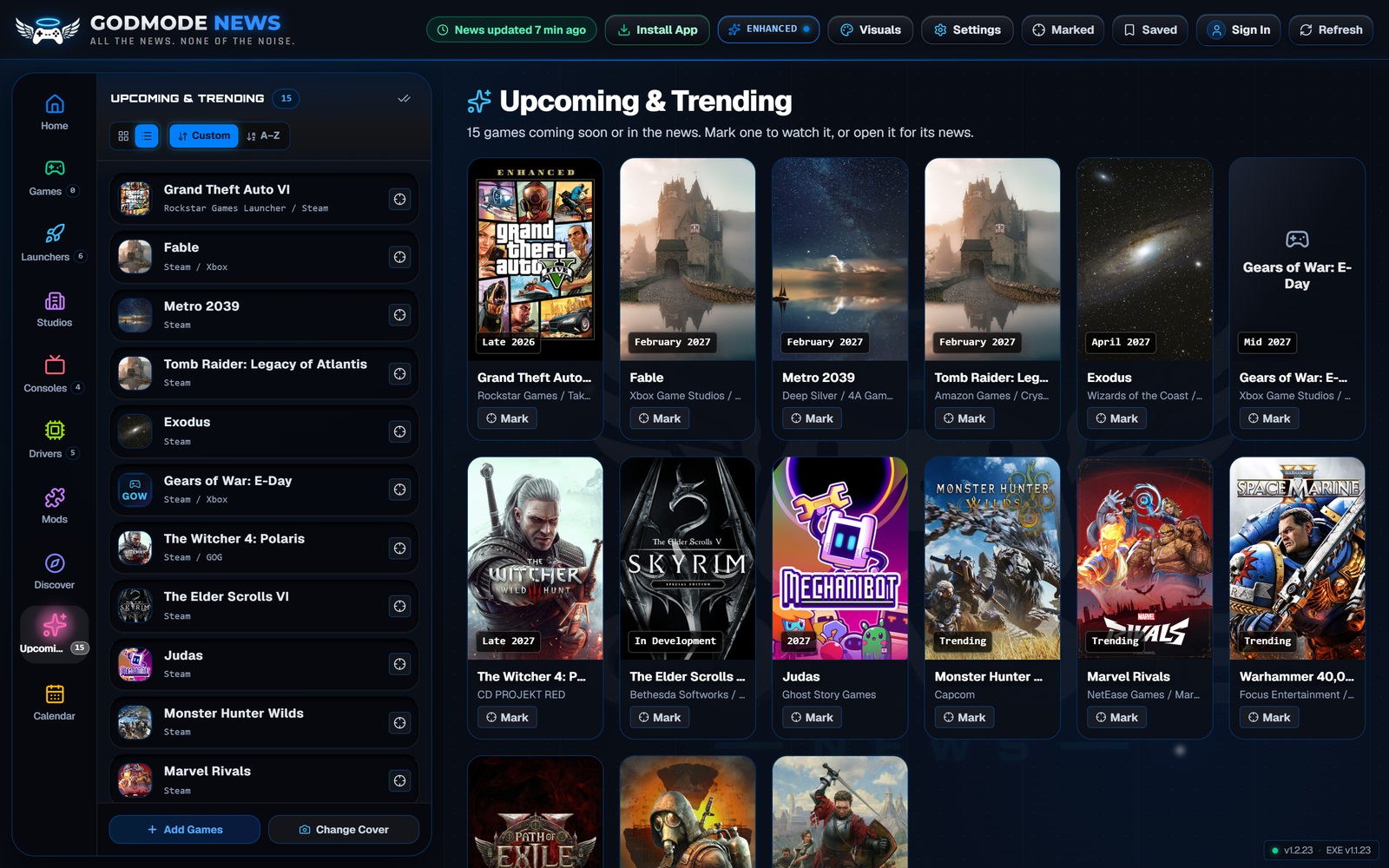
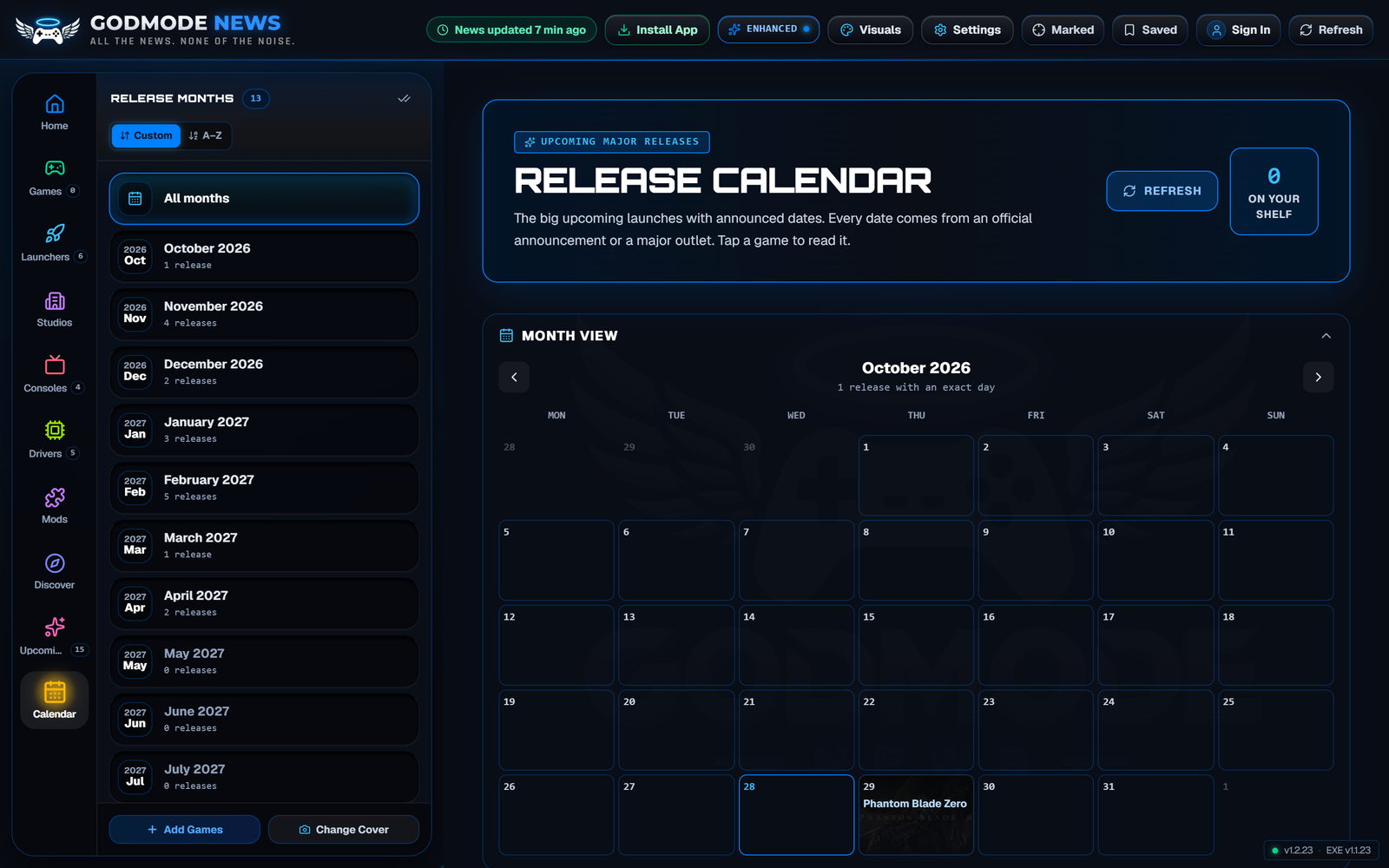
07 Your data
Your games, reads, themes and backups live in your browser. There's no ad auction, no retargeting pixel, and nothing to sign up for. Your shelf stays yours.
See it for yourselfYour shelf, settings, bookmarks and reading history stay in your browser. No account required to use the app.
Optional sign-in keeps the same shelf across devices. No password, no forced cloud. Skip it and everything still works.
Catch me up works without any AI. If you add your own free Gemini key, the summary only sees the headlines in your digest.
Export your shelf, box art, saved articles and theme as one JSON file. Restore it on any browser or PC. No account, no lock-in.
08 Release history
The web app is at v1.2.82; the Windows companion is at v1.1.82. Version details are always in Settings → Help & Info.
Recent highlights
09 Questions
Still wondering something? The app's Help & Info tab has the status of every desk and every version.
Open the appYes. The web app and the Windows companion are free, with no ads, no paywall and no premium tier. There's nothing to buy inside the app.
No. Open the app, add your games and read. Everything is saved in your browser. Signing in is optional and only exists to keep the same shelf and reading list across devices.
Thirty official news desks and syndication endpoints: outlets such as IGN, PC Gamer, Eurogamer, GameSpot, Polygon and GamesRadar+, plus storefront feeds, studio blogs and official GPU bulletins. The server checks them every 30 minutes at peak times (hourly otherwise) and the app shows when the feed was last updated. You can add your own sources too.
No. GodModeNews shows headlines and short summaries, and every card opens the publisher's own article on their site. The point is to send you to the story you care about, not to keep you inside a reader.
It finds the games installed on your PC (Steam, Battle.net, Epic, EA app, Ubisoft, GOG, Xbox and custom folders) so you don't type them in. It also shows what changed since you last played and can launch a game through its own launcher. The site works fully without it; the app is a small installer you download and run.
Any modern browser on desktop or phone, and it installs like an app on both. The companion is for Windows 10 and 11.
Yes: nine color themes, three layouts, 18 font stacks and five text sizes, plus the particle background and card depth. Your choices stay in the browser and follow you to the companion app.
Your shelf and settings are client-side, with no ad retargeting and no account. Cross-device sync is optional. The AI summary is also optional: catch-me-up works without it, and if you add your own free Gemini key, it only receives the headlines in your digest.
Play beyond. Report beyond.
Pick the games you play. The feed does the rest.
Free · No account · Web + Windows
 GODMODE